Order Confirmed
Your order is confirmed!
Thank you for choosing STV4K. Follow the steps below to activate your account and start streaming.
Check Your Spam Folder
Your payment link may land in Spam or Junk. Open your email app and check the Spam folder for a message from STV4K.
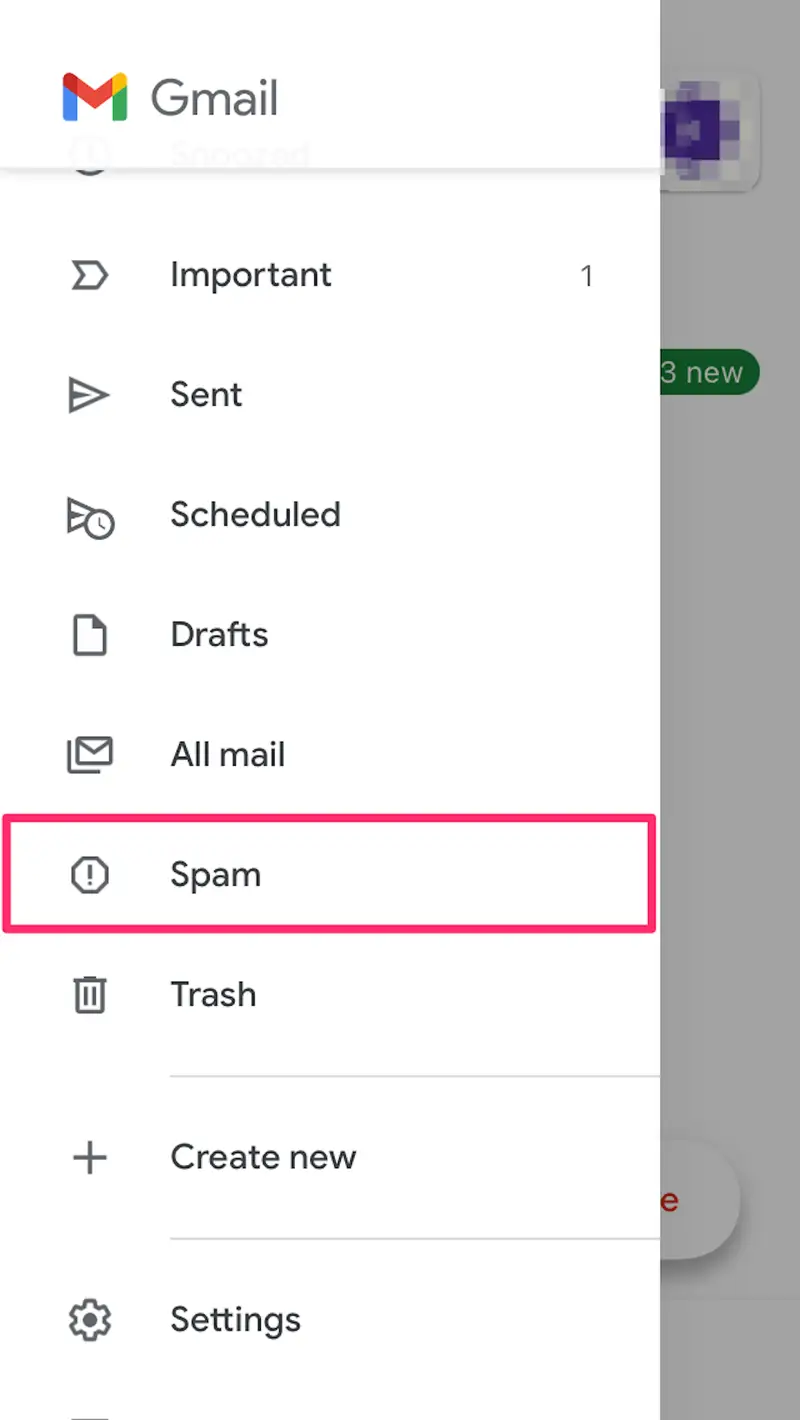
Didn't receive anything? Check your spam folder or contact support.
What happens next?
1
Step 1
Check Your WhatsApp
We've sent payment instructions and account setup details to your WhatsApp number.
2
Step 2
Check Your Email
Don't have WhatsApp? No problem — we've also sent the payment link to your email. Check Inbox & Spam.
3
Step 3
Complete Payment
Within 2–3 minutes you'll receive your payment link. Complete it to activate your account instantly.
4
Step 4
Set Up Your Devices
Once payment is confirmed, access your account details to set up your devices and start streaming instantly.
Account Activation Required
You must complete the payment to activate your subscription instantly.
Need help? Contact our support team via WhatsApp.